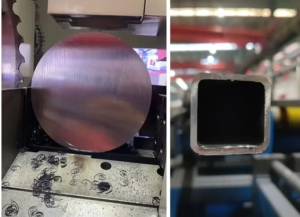
Did you invest in high-performance Cermet Cold Saw Blades only to find the cutting results weren’t as expected?
Cermet blades boast excellent heat resistance and hardness, but their full potential is only realized when you set the optimal cutting parameters for your material and machinery. Improper parameter setting is the number one cause of reduced tool life, chipping, and poor cut quality.
This article provides a quick reference guide for Cutting Speed (V_c) and Feed Rate (f_z), helping you set initial parameters quickly to achieve maximum efficiency and the lowest TCO with your GOBEACTOOL blades.
1. Cutting Speed (V_c)
Cutting speed is the speed at which the tool’s cutting edge contacts the workpiece, determining the heat generated during cutting.
2. Feed Per Tooth (f_z)
Feed per tooth is the depth each tooth penetrates the workpiece during one rotation, directly affecting chip thickness and tool load.
II. Cermet Cold Saw Parameter Quick Reference
Below are the recommended starting ranges for several common materials. Note that the final parameters must still be fine-tuned based on your machine rigidity, coolant quality, and wall thickness.
1. Recommended Cutting Speed (V_c) Range
| Material Type | Recommended Vc (m/min) | Characteristic |
| Mild/Common Carbon Steel (Q235/SS400) | 180 – 250 | Highly ductile, suitable for high speed; focus on chip evacuation. |
| Medium Carbon/Alloy Steel (S45C/40Cr) | 150 – 200 | Moderate hardness; balance speed with tool wear. |
| Stainless Steel (304/316) | 120 – 180 | Prone to welding and work hardening; speed should not be too high. |
| Tool/Mold Steel | 100 – 150 | High hardness; must maintain lower speed to control heat. |
2. Recommended Feed Per Tooth (f_z) Range
Feed per tooth depends on the material form (tube, bar, profile) and wall thickness ($T$).
| Material Form | Recommended fz (mm/tooth) |
| Thin-Walled Tubes (T< 3mm) | 0.03 – 0.05 |
| Medium-Walled Tubes (3mm≤T≤ 8 mm) | 0.05 – 0.08 |
| Thick-Walled Tubes/Small Solid Bars | 0.08 – 0.12 |
| Large Diameter Solid Bars | 0.12 – 0.15 |
III. Principles for Parameter Optimization
After setting the initial parameters, you must fine-tune them based on the cutting results to achieve optimal performance:
- Observe Chip Shape: The ideal chip should be short, curled, and spiral or crescent-shaped.
- If chips are powdery or blue: This indicates V_c is too high or f_z is too low (rubbing phenomenon); reduce speed or increase feed rate.
- If chips are too long and deformed: This suggests f_z is too high or V_c is too low; the cutting force is excessive, so reduce the feed rate.
- Adjust V_c to Control Heat:
- When the tool wears too quickly or the cut shows blue discoloration, you should reduce V_c. Although Cermet blades are heat resistant, excessive temperature will accelerate wear.
- Adjust f_z to Control Load:
- If chipping occurs or the machine vibrates violently, the feed rate may be set too high; reduce f_z.
- If the cutting noise is sharp and the tool wears quickly, the feed rate may be set too low (excessive tip friction); you should appropriately increase f_z to ensure the tip is actively cutting rather than rubbing.
Conclusion: Data-Driven Cutting
Cermet cold saw blades are high-tech tools for precision cutting. Remember that your machine, material, and coolant quality are all variables that affect the final parameters. Use the quick reference table as a starting point, combined with on-site observation, to continuously adjust and optimize V_c and f_z. Only then can you truly benefit from the long life and low TCO provided by your GOBEACTOOL saw blades.
📞 If you have further questions about setting parameters for specific materials and machines, please feel free to contact our technical support team for professional guidance.